
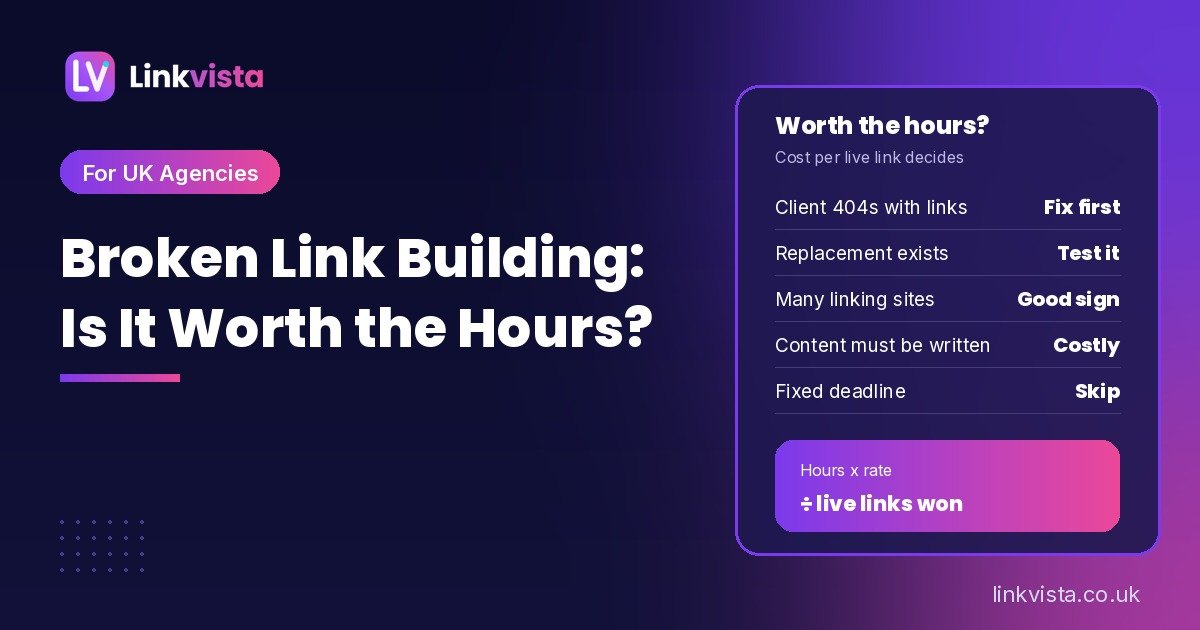
Every so often a client reads about broken link building and asks why the agency isn’t doing it. It sounds ideal: find dead links on other people’s websites, offer a working page as the replacement, and earn a free, editorial link. The tactic is real and Google has no problem with it. The question an agency has to answer is narrower and more commercial: for this client, will the hours it takes cost less than the links it brings in?
This guide is for UK agencies, consultants and freelancers who have to make that call. It explains what the work actually involves, what the published outreach data says, a simple cost-per-link formula you can fill in with your own numbers, two worked examples (both hypothetical), a decision table, a free-tool workflow, the UK email rules that apply to outreach, and how to report the results to a client.
The short answer
Broken link building is worth the hours in a fairly narrow set of cases, and an expensive habit in the rest. It tends to pay off when:
- the client already has a page that is genuinely as good as, or better than, the dead page it would replace;
- one dead page was linked from many relevant sites, so a single replacement can be pitched again and again; and
- the niche has maintained resource pages (guides, reading lists, “useful links” pages) rather than only commercial pages.
If the client would need a new piece of content written first, if the page you want links to is a sales or service page, or if the links are needed by a fixed date, the sums usually favour other options. And before you look at anyone else’s broken links, check the client’s own: old URLs on the client’s site that now return a 404 but still have backlinks are the cheapest “broken links” an agency will ever fix.
What broken link building involves
The idea is simple. A page on another site links to a resource that no longer works. You tell the site owner exactly where the dead link is and suggest a working page that covers the same thing, ideally your client’s. If they agree, they swap the link.
Dead links matter to the publisher because their readers hit an error page. Google’s documentation on HTTP status codes and network errors also says that Google “doesn’t index URLs that return a 4xx status code”, that URLs already indexed and returning a 4xx are removed from the index, and that all 4xx errors except 429 are treated the same. In practice that means 404 (not found) and 410 (gone) both count as “the content doesn’t exist”, which is the signal you’re looking for when you check a link.
Behind the simple idea are three separate jobs, and each one has its own hours:
- Prospecting: finding dead pages in the client’s topic and the sites that still link to them.
- The replacement: having a page that genuinely does the job the dead page did. If it already exists, this costs almost nothing. If it has to be written, it is usually the biggest cost.
- Outreach: finding the right contact, writing a specific pitch, following up once, and checking the result.
Is broken link building allowed by Google?
Yes, as long as the link is the site owner’s own editorial choice. Google’s spam policies list examples of link spam, including “exchanging money for links, or posts that contain links”, “exchanging goods or services for links” and excessive link exchanges (“Link to me and I’ll link to you”). Pointing out a dead link and suggesting a useful replacement is none of those. It changes once you offer something in return. If a site owner asks for a fee to make the swap, you are no longer doing broken link building: you are buying a link, and it should be treated and labelled as a paid placement. Don’t offer reciprocal links or payment in the pitch.
What the outreach data says
The weak point of broken link building is the reply rate. BuzzStream, which makes outreach software, analysed more than 51 million emails sent by its customers for tactics including guest posts, digital PR, broken link building and resource page outreach. In its 2025 study, the overall reply rate for link builders was 3.59%, “meaning almost 1 in 28 emails gets a reply”.
Three things in that study are useful for planning:
- A reply is not a link. The study measures replies, and some replies are a polite no. Nobody publishes a reliable reply-to-link rate for broken link building, so you have to measure your own.
- Smaller campaigns did better. BuzzStream says campaigns with fewer than 100 emails “had significantly higher reply rates than those with thousands”. That fits broken link building, which is naturally small and specific.
- Replies come quickly or not at all. For link builders, almost 90% of replies arrived within two days, and the author’s advice is to wait 48 hours before the first follow-up.
The 3.59% figure is an average across tactics and customers, not a broken link building benchmark. Treat it as a reminder that most emails get no answer, then replace it with your own numbers after your first campaign.
Where the hours go
Before quoting a client, list the tasks and put your own time against each one. The table below is a planning template, not a benchmark: the right-hand column describes what drives the time, because that varies a lot between niches.
| Task | What it involves | What makes it take longer |
|---|---|---|
| Find dead pages | Searching the client’s topic for resource pages, checking their outbound links, or looking at competitors’ pages that now 404 | Niches with few resource pages; tools that flag links as broken when the page is only slow or blocks bots |
| Confirm the link is really dead | Checking the status code yourself and seeing what the old page said (for example in the Internet Archive’s Wayback Machine) | Redirects to a homepage, temporary server errors, pages behind a login |
| Match a replacement | Deciding whether a client page genuinely covers what the dead page did | The client has no matching page and one must be written or improved |
| Find the right contact | Identifying who maintains the linking page and how to reach them | Large organisations, contact forms only, no named editor |
| Pitch and follow up | A short, specific email naming the page, the dead link and its location, plus one follow-up | Writing each pitch from scratch because the pages are all different |
| Check and log | Confirming the new link is live, which rel it has, and recording it for the client report | Changes made weeks later, or the link added with a different anchor or target |
A cost-per-link formula you can fill in
The fairest way to judge the tactic is cost per live link, because that is what you can compare with any other way of getting a link. This is the working formula we use for planning (our own method, not an industry standard):
Cost per live link = (prospecting hours + replacement-content hours + outreach hours) × your hourly cost ÷ number of live links won
Two points make the formula honest. First, count the content hours even if the client “already paid” for the page in another budget, unless the page genuinely exists and needs no work. Second, only count links that are live, on the right page, and checked. Promised links and replies don’t go in the bottom line.
Worked example A: the replacement already exists (hypothetical)
An agency looks after a UK accountancy firm with a detailed, up-to-date guide to a tax topic. The agency finds a dead guide on the same topic that is still linked from 30 sites. After checking, 20 of those pages are relevant and have a findable contact. The agency spends 4 hours on prospecting and checking, 0 hours on content (the guide needs no changes) and 5 hours on pitches and one follow-up each, so 9 hours in total. At an internal cost of $40 an hour, that is $360. If 2 of the 20 sites swap the link, the cost is $180 per live link.
Worked example B: the replacement must be written first (hypothetical)
Another client, a plumbing company, has only service pages. The dead page the agency found was a home maintenance checklist linked from 12 sites, 8 of them relevant and contactable. The agency needs 12 hours to research and write a better checklist, 3 hours of prospecting and 2 hours of outreach: 17 hours, or $680 at $40 an hour. If one site makes the swap, the cost is $680 for one link. If none do, the agency has a useful page for the client but no link to show for it.
All the numbers in both examples are invented to show the arithmetic; your hours, rates and results will differ. For comparison, Linkvista’s list prices for a guest post on a vetted site run from $99 (DR 20–29) to $489 (DR 70+) per link in USD, including a standard 1,000-word article, as shown on our pricing page. The point isn’t that one method always wins. It’s that example A can compete with a paid placement and example B usually can’t, and you can only tell which one you’re in once you’ve done the sums. Our guide to estimating link building ROI for a client shows how to carry that cost into a client forecast.
When it’s worth the hours: a decision table
| Situation | Broken link building? | Why |
|---|---|---|
| The client has an existing, genuinely better resource on the same topic as the dead page | Yes, worth testing | No content hours, and the pitch is honest and easy to accept |
| One dead page is linked from many relevant sites | Yes | One replacement supports many pitches, so prospecting time is shared |
| The niche has maintained resource pages (education, charities, local groups, professional bodies) | Yes, if the first two rows also fit | These are the pages most likely to have someone who updates links |
| The client only wants links to service or product pages | Usually no | Resource pages rarely swap an information link for a sales page |
| The replacement has to be written from scratch | Only if the content is wanted anyway | Content hours are paid whether or not anyone swaps the link |
| Links are needed by a fixed date | No, or only alongside other work | Reply and swap timing is outside your control |
| The site owner asks for a fee to swap | Not as broken link building | It’s now a paid link; handle it as a labelled paid placement or walk away |
Start with the client’s own broken links
The quickest win is usually on the client’s own site. Over the years pages get deleted, merged or renamed, and other sites keep linking to the old URLs. Those links point at a 404 today. Fixing them doesn’t need anyone else’s permission, so there is no outreach and no reply rate.
- Export the client’s most-linked pages, from Search Console’s Links report (Top linked pages) or from your backlink tool.
- Check the status code of each URL. Our free redirect checker shows the status code and every hop for up to 10 URLs at a time.
- For each old URL that returns a 404 and still has links, find the closest live page on the same topic and set up a permanent (301) redirect to it. Don’t send everything to the homepage: redirect to the page that genuinely replaces the old one.
- Check that the redirect goes straight to the target in one hop, then note it in the client report.
Google’s guidance on site moves with URL changes says “301 and other permanent redirects don’t cause a loss in PageRank”, which is why recovering a client’s own dead URLs is worth doing before any outreach. If a page you or a supplier placed later disappears from the publisher’s site, that’s a different problem: see what to do when a guest post link is removed.
A free-tool workflow for outreach on other sites
If the decision table says yes, keep the campaign small and specific. This is our own working process:
- Pick one topic where the client has a strong existing page.
- Find resource pages on that topic: reading lists, guides and “useful links” pages run by real organisations, not link directories.
- List their outbound links. Run each resource page through our Link Analyzer, which lists every link on the page with its anchor text and rel, and lets you copy the results as CSV.
- Check which external links are dead by pasting them, up to 10 at a time, into the redirect checker. Treat 404 and 410 as dead; recheck 5xx errors and timeouts another day before you count them.
- See what the dead page said in the Wayback Machine, and decide honestly whether the client’s page covers the same thing. If it doesn’t, don’t send the pitch.
- Find the person who maintains the page, not a generic sales inbox.
- Send one short, specific pitch naming the page, the dead link, where it appears (for example “the third link under ‘Further reading’”) and the suggested replacement. No payment or reciprocal link offers.
- Follow up once, after about 48 hours, then stop.
- Check any swap with the Link Analyzer: right page, right target URL, and which rel it has. Log it with the date.
- Keep the list. Even pages that didn’t swap tell you which sites link on this topic, which is useful prospect data for later.
A pitch along these lines works better than a generic “I noticed some broken links” message, because it saves the site owner time:
- Subject: Dead link on your [page title] page
- Body: “Hi [name], your [page title] page links to [dead URL] in the [section] section, and it now returns a ‘page not found’ error. If you’re looking for a replacement, [client page] covers the same topic and was updated in [month]. Either way, I thought you’d want to know about the dead link. [Your name, agency, how to opt out of further emails]”
For more on outreach structure and follow-ups, see our guest post outreach process for agencies.
UK email rules for broken link outreach
Outreach emails are sent to people you don’t know, so the UK’s electronic marketing rules (PECR) and data protection law are worth a minute before you start. The Information Commissioner’s Office (ICO) guidance on electronic mail marketing says:
- You can send marketing emails to corporate bodies (companies, LLPs, Scottish partnerships and government bodies), and it is good practice to keep a “do not email” list of businesses that object.
- Sole traders and some partnerships are treated as individuals, so marketing emails need their specific consent (or the existing-customer “soft opt-in”, which won’t apply to cold outreach).
- You must not disguise or conceal your identity, and you must give a valid contact address so people can opt out.
- If you email named employees at a company, data protection law (the UK GDPR) also applies to how you handle their details.
A purely helpful note about a dead link may not be marketing at all, but a pitch that promotes a client’s page arguably is, so the safe habit is to follow the rules above for every outreach email: identify yourself and the agency, offer an easy opt-out, honour it, and don’t cold-email small blogs run by individuals in a way that treats them as companies. The ICO notes that this guidance is under review following the Data (Use and Access) Act, so check the current version. This is general information, not legal advice.
How to report broken link building to a client
Because results are uneven, report the tactic in a way that shows the work as well as the wins:
- dead pages found, pages pitched, replies and live links won, kept separate;
- hours spent and the resulting cost per live link, compared with the other options you considered;
- each live link with its URL, target page, anchor, rel and date checked;
- client-site 404s fixed with redirects, and which linked URLs they recovered; and
- a recommendation: continue, pause, or move the budget elsewhere.
Agencies that send reports under their own brand can fold this into the monthly report described in our guide to white label SEO reports. If the client expects a fixed number of links each month, our post on how many backlinks a site needs per month explains why a steady plan usually needs more than one tactic.
Where broken link building fits in a client plan
For most agencies, broken link building works best as a small, opportunistic part of a wider plan rather than the plan itself. Fix the client’s own broken URLs first, test outreach where the client already has a strong resource, and measure cost per live link honestly. For the predictable part of the monthly link target, agencies usually rely on placements they can plan and schedule, such as guest posts on relevant sites. Our guides to digital PR vs guest posting and vetting a guest post site before buying cover those options.
Linkvista places guest posts and niche edits for UK agencies on real, independently run websites. You see and approve every domain before anything goes live, checked against our link quality policy. Links go live within 48–72 hours of domain approval, reports are unbranded for agencies, and if a link is removed within 12 months of going live we replace it free (there’s no guarantee after 12 months). We accept healthcare and CBD orders on sites that allow them, but never casino, gambling or adult.
Frequently asked questions
Is broken link building still worth it?
It can be, in a narrow set of cases: when the client already has a page that genuinely replaces the dead one, and that dead page is linked from many relevant sites. If a replacement has to be written first, or the client only wants links to sales pages, the hours per live link are usually higher than other options. Work out the cost per live link before committing.
Is broken link building allowed by Google?
Yes, if the site owner chooses to swap the link on its merits. Google’s spam policies treat exchanging money, goods or services for links, and excessive link exchanges, as link spam. So don’t offer payment or a reciprocal link in the pitch; if the site owner asks for a fee, it becomes a paid link and should be treated as one.
How many outreach emails does it take to win one broken link?
There is no reliable published figure. BuzzStream’s 2025 study of more than 51 million outreach emails found a 3.59% reply rate for link builders across several tactics, and a reply is not the same as a link. Measure your own reply and swap rates on a small first campaign and plan from those.
What is the difference between broken link building and fixing a client’s own broken links?
Broken link building means asking other sites to replace a dead link with your client’s page. Fixing the client’s own broken links means finding old client URLs that return a 404 but still have backlinks, and redirecting them to the closest live page with a 301. The second needs no outreach, so it is usually the first job to do.
Which free tools can I use for broken link building?
You can list every link on a resource page with Linkvista’s free Link Analyzer, check status codes for up to 10 URLs at a time with the free redirect checker, and see what a dead page used to say in the Internet Archive’s Wayback Machine. Search Console’s Links report helps you find the client’s most-linked pages.
Do UK email rules apply to broken link outreach?
The ICO’s guidance says marketing emails can be sent to corporate bodies, but sole traders and some partnerships are treated as individuals and need consent. Senders must not hide their identity and must offer a way to opt out. A pitch that promotes a client’s page may count as marketing, so follow those rules for every outreach email. This is general information, not legal advice.
Get a shortlist of relevant sites for your client
If the sums don’t work for broken link building, or you need links you can schedule, send us the client’s site, up to three target pages and up to three competitors through our free competitor gap shortlist form, and we’ll reply within one working day (UK time) with a short, manually reviewed list of relevant publisher ideas. Guest posts start at $99 (DR 20–29) and go up to $489 (DR 70+) per link in USD, each with a standard 1,000-word article (longer articles cost extra per additional 500 words). See our link building services, including guest posting and white label link building for agencies, compare tiers on our pricing page, try our free SEO tools, or contact us for a quote.
Leave a Reply