
Anchor text is the part of a link building order that agencies most often hand over without thinking. The client wants to rank for “accountants in Leeds”, so every guest post brief says “accountants in Leeds”. Six months later the backlink profile has the same commercial phrase on most of its links, and nobody can explain why the page has stalled. This guide covers an anchor text strategy that is safe, natural and simple to defend to a client: what Google actually says, the anchor types you can use, how to plan a mix for each target page, and how to brief publishers and suppliers so the plan survives contact with real articles.
It is written for UK SEO agencies and consultants who buy guest posts or niche edits for clients. It sticks to Google’s published guidance and our own working process, and it does not rely on made-up ratios or “secret” percentages.
What anchor text is and why it still matters
Anchor text is the visible, clickable text of a link. Google’s own link best practices define it simply: anchor text “tells people and Google something about the page you’re linking to.” That is why it matters for SEO. The words in and around a link are one of the clearest signals of what the destination page is about.
It is also why anchors attract manipulation. If descriptive anchors help a page, it is tempting to make every anchor the exact keyword you want to rank for. That is the habit that turns a useful signal into a risk, and it is the main thing a good anchor text strategy is designed to avoid.
What Google says about anchor text
You do not need to guess at Google’s position. Three published pages cover most of what an agency needs to know.
Good anchor text is descriptive, concise and relevant
Google’s link best practices say: “Good anchor text is descriptive, reasonably concise, and relevant to the page that it’s on and to the page it links to.” The same page gives examples of anchors that are too generic (“click here”, “read more”) and anchors that are “weirdly long”. It also suggests a useful test: read only the anchor text, out of context, and check whether it makes sense on its own.
Just as important, the guidance warns against forcing keywords in: “Write as naturally as possible, and resist the urge to cram every keyword that’s related to the page that you’re linking to.” It adds that “the words before and after links matter”, so the sentence around the link counts as well as the anchor itself.
Optimised anchors in guest posts are named as link spam
Google’s spam policies list examples of link spam. One of them is directly relevant to anyone buying placements: advertorials or native advertising where payment is received for articles that include links that pass ranking credit, “or links with optimized anchor text in articles, guest posts, or press releases distributed on other sites.” The example Google gives is a short paragraph in which almost every phrase (“wedding rings”, “best ring”, “wedding dress”) is a keyword-rich link.
That is the pattern to avoid. A guest post whose job is to carry a keyword-stuffed anchor reads exactly like Google’s example.
Paid links and the rel attribute
The same policy lists “exchanging money for links, or posts that contain links” as link spam, and Google’s guide to qualifying outbound links says paid placements should be marked with rel="sponsored" (or nofollow). We say this plainly because no supplier can honestly promise that any paid placement is risk-free. What an agency can control is the quality of the site, the relevance of the article and the naturalness of the anchor. Anchor choice is the one most often got wrong, and it is the easiest to fix.
The six main anchor text types
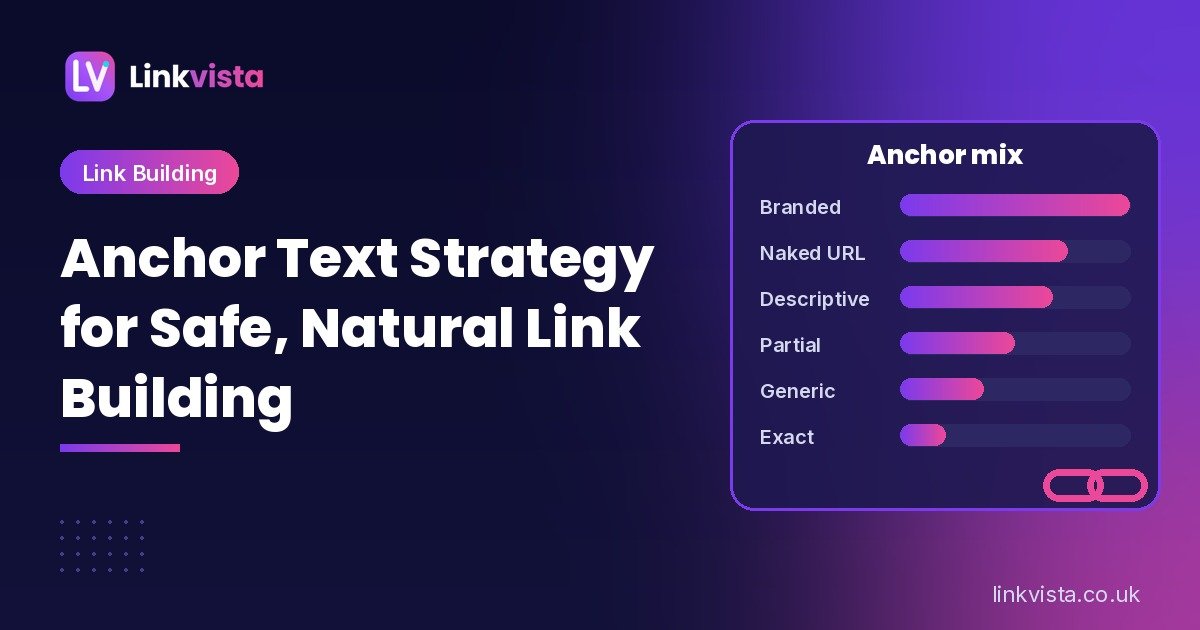
Most anchor text planners, including our free anchor text generator, group anchors into six types. Here is how each one looks for a hypothetical client, Example Accountants, whose target page is its Leeds accountancy services page.
- Branded: the business name, such as “Example Accountants”. The most natural anchor on the web, because it is how people refer to a company.
- Naked URL: the address itself, such as “exampleaccountants.co.uk”. Common in citations, resource lists and journalism.
- Generic: words with no keyword, such as “this guide” or “their website”. Fine in moderation. Google calls anchors like “click here” too generic, so pair them with descriptive surrounding text.
- Partial match: the keyword inside a longer, natural phrase, such as “a practical guide to choosing an accountant in Leeds”.
- Related or descriptive: topic words rather than the target keyword, such as “small business tax advice” or “self-assessment help”.
- Exact match: the target keyword on its own, such as “accountants in Leeds”. Not banned, but the type most likely to look engineered when it is repeated.
There are also image links, where Google’s guidance says the image’s alt text is used as the anchor, and brand-plus-keyword hybrids such as “Example Accountants’ Leeds accountancy team”. Both are useful ways to add variety without stuffing.
Is there a safe anchor text ratio?
No. Google has never published a percentage for exact match, branded or anything else, and you should be wary of anyone who quotes one as a rule. Ratios you see online come from studies of particular datasets or from personal experience, and they vary by niche.
What does hold up is a principle: in a natural profile, most links describe the business the way people actually talk about it, which means branded names, URLs and descriptive phrases. Exact-match commercial keywords appear, but not on most links. The default split in our anchor text generator follows that principle. It leans on branded, naked URL and generic anchors and keeps exact match small. It is a cautious starting point, not a rule from Google.
The better benchmark is your client’s own niche. Look at the pages already ranking for the target keyword. If their anchors are mostly branded with a few descriptive phrases, a profile built mainly on exact match will stand out, whatever any general ratio says.
How to build an anchor text plan for a client
A plan stops anchors being decided one order at a time. It takes about half an hour per target page, and it fits naturally into the link plan stage of a well-run link building campaign.
1. Audit the anchors the client already has
Start with the existing profile. In Google Search Console, the Links report has a “Top linking text” table showing the most common text in links from other sites. Google suggests using it to “confirm that the link text is what you expect, and not spammy text.” A backlink tool such as Ahrefs or Semrush adds anchor-by-anchor detail and shows which pages each anchor points to.
Note three things: the share of links that already use the exact target keyword, any anchors the client never built (foreign-language or spammy text can point to old problems), and which pages receive most links.
2. Benchmark against the pages that rank
Take three to five pages ranking for the target keyword and look at their anchor profiles in the same tool. You are not copying them. You are checking what “normal” looks like in this niche, so your plan does not drift far from it.
3. Decide which page each link should support
Anchor problems often start as target-page problems. If every link points at the homepage with a service keyword, the homepage ends up with an anchor profile that doesn’t match its content. Map each keyword to the page that best answers it, such as a service page, a location page or a useful guide, and choose anchors that describe that page.
4. Write an anchor list, not a single anchor
For each target page, write a short list of approved anchors across several types. For the hypothetical Leeds accountancy page, a list for the next ten links might look like this:
- Example Accountants (branded)
- exampleaccountants.co.uk (naked URL)
- the Example Accountants team (branded variation)
- small business accountancy support in Leeds (partial match)
- help with self-assessment and VAT returns (descriptive)
- their guide to year-end accounts (descriptive, if the page covers it)
- Example Accountants’ Leeds office (brand plus location)
- this accountancy firm (generic plus context)
- accountants in Leeds (exact match, used once)
- Example Accountants (branded, a second time)
This is an illustration of the approach, not a target ratio. The point is that the exact-match phrase appears once, every anchor makes sense out of context, and each one describes the destination page honestly.
5. Pace and review
Spread exact and partial-match anchors across the campaign instead of front-loading them, and review the plan monthly against what actually went live. Our free link analyzer shows every link on a live page with its anchor text and rel attributes, which is a quick way to confirm that a placement matches the brief.
How to brief publishers and suppliers on anchors
Most anchor problems happen in the brief. A few habits make a big difference.
- Give options, not orders. Send two or three approved anchors per placement and let the writer choose the one that fits the article. A forced anchor reads like one.
- Ask for the sentence, not just the words. Google says the words around a link matter. The best placements explain why the reader would click.
- One commercial link per article. Several keyword-rich links in one guest post is close to the example in Google’s spam policy.
- Let the editor change it. Real editors reword anchors. A publisher that accepts any anchor, on any topic, for a fee is showing you a warning sign. Our guide on how to vet a guest post site covers the other checks.
- Match the anchor to the site. A finance blog linking with “Leeds accountancy services” makes sense. A general “news” site with the same anchor next to unrelated topics does not, however high its DR. See our guide to DR vs traffic for why relevance beats metrics.
Anchor text mistakes that put clients at risk
- The same exact-match phrase on most links. The most common problem, and the easiest to see in the Search Console Top linking text table.
- Keyword-stuffed or very long anchors. Google’s examples of “weirdly long” anchors and stuffed paragraphs describe exactly this.
- Money anchors pointing at the homepage. If the homepage isn’t the best answer to the keyword, the anchor and the content disagree.
- Chained links. Google advises against putting links right next to each other, because readers can’t tell them apart and each loses its context.
- Ignoring site quality. A perfect anchor on a network site is still a network link. Our guide on how to spot a PBN lists the warning signs.
- No record of what was built. Without a report showing the live URL, target page and anchor for every link, you can’t manage the mix. Ask for this from any supplier.
What to do if a client’s anchors are already over-optimised
Start by measuring rather than panicking. If a large share of the profile uses the same commercial anchor, the practical steps are usually:
- Change the mix of new links. Weight upcoming placements towards branded, URL and descriptive anchors so the profile becomes more natural over time.
- Ask for changes where you can. If the client paid for placements on sites that are still in contact, a polite request to change an anchor to the brand name is often accepted.
- Check Search Console for a manual action. If there is an unnatural links manual action, follow Google’s process for removing or qualifying links and filing a reconsideration request. Disavowing is an advanced step for serious cases, not a routine clean-up.
- Look beyond anchors. Over-optimised anchors often sit on low-quality sites. Fixing the source of links matters as much as fixing the words.
How Linkvista handles anchor text
When you order guest posts or niche edits from us, you send the target URL and two or three anchor ideas. We place the link in the body of the article where it fits the sentence, rather than in a footer or sidebar. You approve every domain on the shortlist before anything is published, and every site is checked by hand against our link quality policy. That means no PBNs, no expired-domain rebuilds and no sites that publish anything for a fee.
Each guest post includes a standard 1,000-word article by a native-level writer. You can also supply your own article of 500 to 4,000 words, and longer articles are charged extra per additional 500 words. Links go live within 48–72 hours of domain approval, and you receive an unbranded report with the live URL, target page and anchor for each link, ready to forward to your client. Prices are in USD, from $99 per guest post at DR 20–29 up to $489 at DR 70+, with 10% off at 10+ links a month and 15% off at 25+. See the full table on our pricing page. If a link is removed within 12 months of going live, we replace it free.
Frequently asked questions
What is a good anchor text strategy?
A good anchor text strategy uses mostly branded, naked URL and descriptive anchors, keeps exact-match keywords to a small number of links, and makes every anchor describe the page it points to. Plan anchors per target page in advance instead of choosing them order by order.
What anchor text ratio should I use?
There is no official ratio. Google has not published one. Use a cautious mix that leans on branded, URL and descriptive anchors, then compare it with the anchor profiles of pages already ranking in your client’s niche and adjust from there.
Is exact match anchor text bad for SEO?
Not on its own. The risk comes from repetition: when a large share of links use the same commercial keyword, the profile looks engineered. Google’s spam policies specifically mention links with optimised anchor text in articles and guest posts.
How do I check a website’s anchor text?
In Google Search Console, open the Links report and look at the Top linking text table. A backlink tool such as Ahrefs or Semrush gives more detail, including which page each anchor points to. To check a single live placement, use a link analyzer that lists each link’s anchor and rel attributes.
Can I choose the anchor text for a Linkvista guest post?
Yes. Send us two or three anchor ideas with your target URL. We place the link in the body of the article where it fits the sentence. You see and approve every domain before anything is published.
Get natural, well-placed links for your clients
If you want guest posts on real, relevant sites with anchors that read naturally, send us your target pages, anchor ideas and budget. We will reply with a domain shortlist for your approval. Contact us for a quote, compare our prices, or plan your next anchors with our free SEO tools.
Leave a Reply