A white label SEO report is often the only part of resold link building the client ever sees. They see a spreadsheet or PDF once a month and judge the whole service on it. A thin report with a list of URLs and a big “DR” number invites awkward questions. A clear one answers them before they are asked.
This guide is about white label SEO reports for link building: what your supplier should send you, what you should pass on to your client, how to present it under your own brand, how often to report, and how to use Google Search Console and Google Analytics 4 to show what the links are doing. It is written for UK agencies and consultants who resell guest posts or niche edits from a white label partner. For the wider model, see our white label link building guide for UK agencies.
Why reporting matters more when you resell links
With white label work, you report on placements someone else secured, and you still carry the client relationship. That creates three jobs for the report:
- Proof of delivery. The client should be able to click through and see every link live, with the agreed anchor.
- Quality evidence. A report that only lists Domain Rating hides what separates a good placement from a risky one.
- A record you can rely on later. Links get removed, pages get redirected and sites change hands. A dated log of what went live, where and when is what lets you claim a replacement or answer a client question months later.
What a white label link building report should contain
Think of the report in two layers: a placement log with one row per link, and a short summary that explains what the rows mean. Your supplier should supply the first layer; the second is where your agency adds value.
The placement log: one row per link
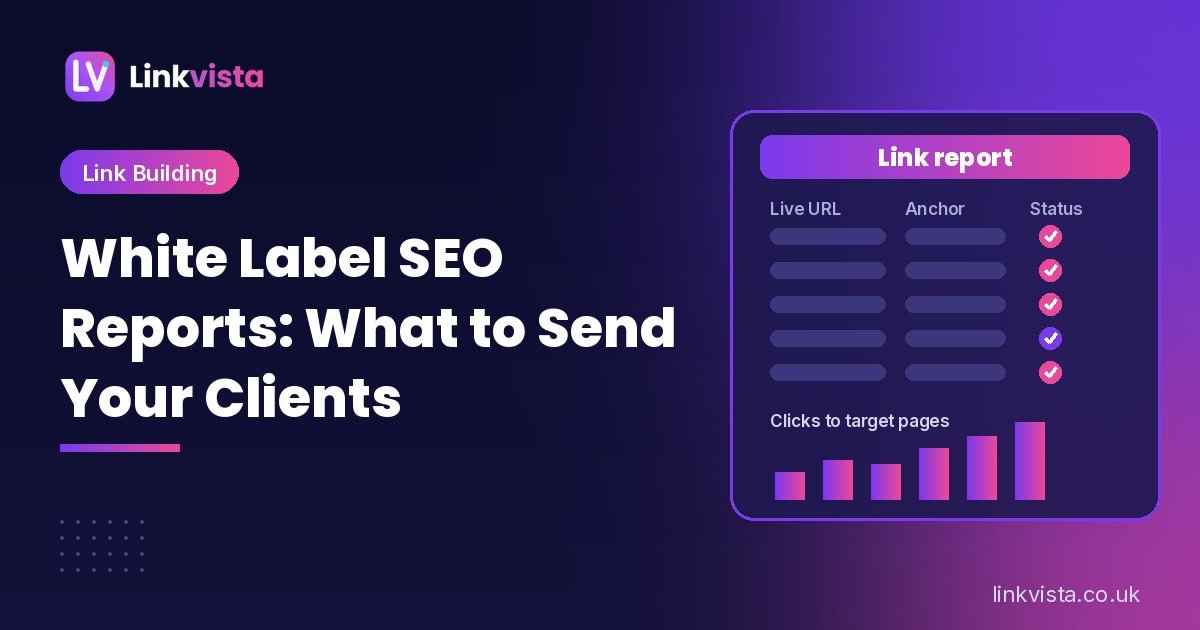
These are the fields we would expect in every row. Check that your supplier’s report includes them before you place a large order.
| Field | What to record | Why it matters |
|---|---|---|
| Live URL | The full URL of the page that carries the link | The client can click and check it themselves |
| Linking domain | The root domain of the publisher | Lets you spot repeat domains and judge relevance at a glance |
| Target page | The exact client URL the link points to | Shows which pages are being supported and catches wrong or redirected targets |
| Anchor text | The visible link text, word for word | Lets you keep the anchor mix natural across the campaign |
| Link attribute | What the live link uses: no rel value, or nofollow, sponsored or ugc | Confirms the link matches what was agreed |
| Placement type | Guest post or niche edit | The two are priced and judged differently |
| Domain metrics | DR and estimated organic traffic, with the tool used and the date checked | Metrics change, so a dated figure is honest; an undated one is not |
| Publish date | The date the link went live | Starts the clock for any replacement guarantee |
| Indexation | Whether the linking page is indexed, and the date you checked | An unindexed page is unlikely to do much for the client |
| Status notes | Live, removed, replaced, changed, with dates | Builds the link history you will need later |
Two of these deserve extra care. First, the anchor column. Over a few months it tells you whether the campaign is leaning too hard on exact-match anchors, which is one of the easiest ways to make a link profile look engineered. Our anchor text strategy guide explains how to plan a natural mix per target page. Second, the metrics column: DR alone says little about whether a site has real readers, so pair it with organic traffic, as explained in DR vs traffic: how to judge backlink quality.
The campaign summary: what the rows mean
Clients rarely read every row. Put a short summary at the top of each report that covers:
- The reporting period and the client name.
- How many links went live this period, and how many in total since the campaign began.
- Which target pages were supported, and why those pages were chosen.
- Anything that changed: a removed link, a replacement, a publisher that updated the article.
- What is planned for next month.
Keep it short. The aim is to connect the placements to the client’s goals, not to repeat the spreadsheet in prose.
Replacement terms and link history
Every report should make the replacement terms easy to find. If your supplier offers a replacement guarantee, write down its length and what it covers, and keep the publish date next to every link so you can tell at a glance which ones are still covered. When a link is removed, do not delete the row. Mark it as removed, add the date you noticed, and add the replacement as a new row that refers back to it. A complete history is far more convincing to a client than a list that only ever shows live links.
What to leave out of a client-facing report
A white label report is a cleaned-up version of your supplier’s report, not a copy of it. Before you send anything on, remove:
- Your supplier’s name, logo, email addresses and any links back to their site.
- Wholesale prices or any figures that show your margin.
- Publisher contact details, outreach notes and internal comments.
- File names, document properties or sheet tabs that mention the supplier.
If the report is a shared Google Sheet, make a copy in your own account rather than forwarding the supplier’s link, and check the author field and every tab before you share it.
Unbranded reporting: making the report your own
An unbranded report is one with no supplier identity anywhere, ready for you to add your own. The simplest workflow is:
- Receive the supplier’s unbranded report as a sheet or PDF.
- Copy the placement rows into your own agency template, with your logo, colours and contact details.
- Add your own checks: open each live URL, confirm the anchor and target page, and record the indexation date.
- Write the campaign summary in your agency’s voice.
- Export to PDF or share a read-only view, and keep the master copy for your link history.
Doing step 3 yourself means you never send a client a link you have not seen. Our free Link Analyzer lists every link on a page with its anchor and rel attribute, which makes this check quicker. Unbranded reporting should also sit alongside an NDA, so the supplier agrees in writing not to contact your clients.
How often to send link building reports
There is no single right cadence, but most agencies settle on three layers:
- Per order: a short delivery note when a batch of links goes live, so the client can see the work as it lands.
- Monthly: the full placement log with the campaign summary. This is the core white label SEO report.
- Quarterly: a review that steps back from individual links and looks at the target pages, anchor mix and search performance over a longer period.
Monthly works well because search data needs time to settle; reporting on rankings a few days after a link goes live tends to create false hope or false worry. Agree the cadence at the start and stick to it.
Showing impact with Google Search Console and GA4
The placement log proves delivery. Search Console and GA4 show what is happening on the client’s side, using the client’s own data. Be careful, though: links are one factor among many, and no report can prove that a single link caused a ranking change. Present the data as context, not as proof, and if the client asks for a money figure, use the break-even method in our guide to link building ROI.
The Links report in Search Console
The Search Console Links report shows top linked pages, top linking sites and top linking text for the client’s property. It is useful for confirming that new linking domains are being picked up and that anchors look as expected. Google’s help page suggests using the linking text table to “Confirm that the link text is what you expect, and not spammy text.”
Know its limits before you show it to a client. Google says the report “isn’t a comprehensive list of every link on your site”, that it shows a sample, that it “includes links that Google has found over time” which may since have been removed, and that it “doesn’t specify if a link is marked as nofollow.” So a new link not showing there yet is not a failure, and the report is not a replacement for your own placement log.
URL Inspection for indexation
You cannot inspect a publisher’s page in the client’s Search Console, but you can check the client’s target pages with the URL Inspection tool, which shows information about Google’s indexed version of a page. Google is clear that “URL is on Google” means a URL is eligible to appear in search results, not that it is guaranteed to. If a target page is not indexed, fix that before building more links to it. For the linking pages, searching Google for the exact URL is a practical check; record the date.
The Performance report for target pages
The Performance report shows clicks, impressions, click-through rate and average position from Google Search. Filter it by the target pages in your campaign and compare periods, for example the three months before the first link with the most recent three months. Show the trend alongside the dates links went live. Do not claim credit for every movement, and do not hide a dip.
Referral traffic in GA4
Placements on real sites sometimes send visitors too. In GA4, the Traffic acquisition report shows session source and medium, so you can check whether linking domains appear as referral sources. Many placements send little or no traffic, which is normal, so treat referral visits as a bonus to mention, not the main measure.
Google’s guidance on campaign URLs with UTM parameters explains how utm_source, utm_medium and utm_campaign values show up in the Traffic acquisition report. That is useful when the client promotes a placed article through their own newsletter or social channels, and our free UTM Builder creates those tagged links. As a rule, we do not add UTM tags to the editorial link inside a guest post itself: the link should point to the clean target URL the client wants to rank.
Red flags in vendor reports
The report is also your best early warning that a supplier is cutting corners. Watch for:
- No live URLs, or links behind a login. If you cannot click through and see the link, you cannot verify it.
- DR as the only metric. No traffic figures, no dates, no source for the numbers.
- The same few domains again and again across different clients and niches.
- Publishers that cover every topic, with “write for us” pages and lots of sponsored posts. Our guide on how to spot a PBN covers the wider warning signs.
- Every anchor is the exact keyword. That pattern is a risk for your client, however neat it looks.
- Linking pages that are not indexed weeks after publication.
- Removed links quietly dropped from the report instead of being marked and replaced.
- Vague replacement terms, or terms that only appear after you ask about a missing link.
One red flag is worth a question. Several together mean it is time to test another supplier.
A simple monthly white label SEO report template
If you are building your own template, this order works well for most link building clients:
- Cover: your agency logo, client name and reporting period.
- Summary: links delivered this month and to date, pages supported, notable changes, next month’s plan.
- Placement log: the table above, filtered to the period, with the full history on a separate tab.
- Anchor overview: a short count of anchor types used so far, by target page.
- Search performance: Search Console clicks and impressions for the target pages, compared with an earlier period.
- Referral notes: any linking domains seen as referral sources in GA4.
- Replacements: links removed, replaced or still covered, with dates.
Keep the language plain: a report a client can understand in five minutes beats a long deck nobody opens.
How we report white label orders at Linkvista
We supply link building to UK agencies on a white label basis, so this is the reporting we work to ourselves. Every order ends with an unbranded report as a Google Sheet or PDF, with no Linkvista branding, covering the live URL, anchor, target page, domain metrics (DR and organic traffic) and publish date. Before a link goes into the report, we check that it is live, indexable and dofollow unless agreed otherwise. You approve every domain before anything is published, and links go live within 48–72 hours of domain approval.
Every agency partner can have an NDA, and we never contact your clients. If a link is removed within 12 months of going live, we replace it free; links are not guaranteed after 12 months. Prices are per link in USD, from $99 for a guest post on a DR 20–29 site, with 10% off at 10+ links a month and 15% off at 25+. Guest posts include a standard 1,000-word article, or you can supply your own article of 500 to 4,000 words; longer articles are charged extra per additional 500 words. Full details are on our pricing page, and every site is checked against our link quality policy.
Frequently asked questions
What is a white label SEO report?
It is a report on SEO work, such as link building, that carries your agency’s branding instead of the supplier’s. The supplier sends an unbranded report, and you add your logo and summary before passing it on.
What should a white label link building report include?
For every link: the live URL, linking domain, target page, anchor text, link attribute, placement type, dated domain metrics, publish date and indexation status, plus a short summary of what was delivered and what is next.
How often should I send link building reports to clients?
Most agencies send a short note when links go live, a full report monthly and a broader review quarterly, which gives search data time to settle.
Can I show backlinks from Search Console in a client report?
Yes, the Links report is useful context, but Google describes it as a sample rather than a complete list, and it does not say whether a link is nofollow. Use it alongside your own placement log, not instead of it.
How do I keep my supplier’s name out of the report?
Ask for unbranded reports as standard, copy the data into your own template rather than forwarding the supplier’s file, and back it up with an NDA.
What should happen if a reported link is removed?
Mark it as removed with the date, keep the row, and add the replacement as a new row that refers back to it. Check your supplier’s replacement terms; at Linkvista we replace removed links free within 12 months of going live.
What is white label SEO reporting?
White label SEO reporting is the process of sending your client updates on SEO work, such as link building, under your agency brand rather than the supplier’s. In practice that usually means a short note when links go live, a full white label SEO report each month, and a broader review each quarter, which gives search data time to settle.
Get white label links with client-ready reports
If you want link building you can resell under your own brand, with unbranded reports you can send straight on, see our white label link building service or browse all our services. Compare our prices, contact us for a sample domain list, or check your live placements with our free SEO tools.
Leave a Reply