Free Chrome extension
Link Placement Checker
Check the guest post before you send the report. The extension reads the live page you already have open and lists every link to the domains you placed: anchor, rel attributes, where the link sits, and on-page robots signals. The scan stays in the browser.
Store listing is not live yet. When it is, this page will get the official install link. Until then you can read how it works below, and see the privacy policy.
What you get on each check
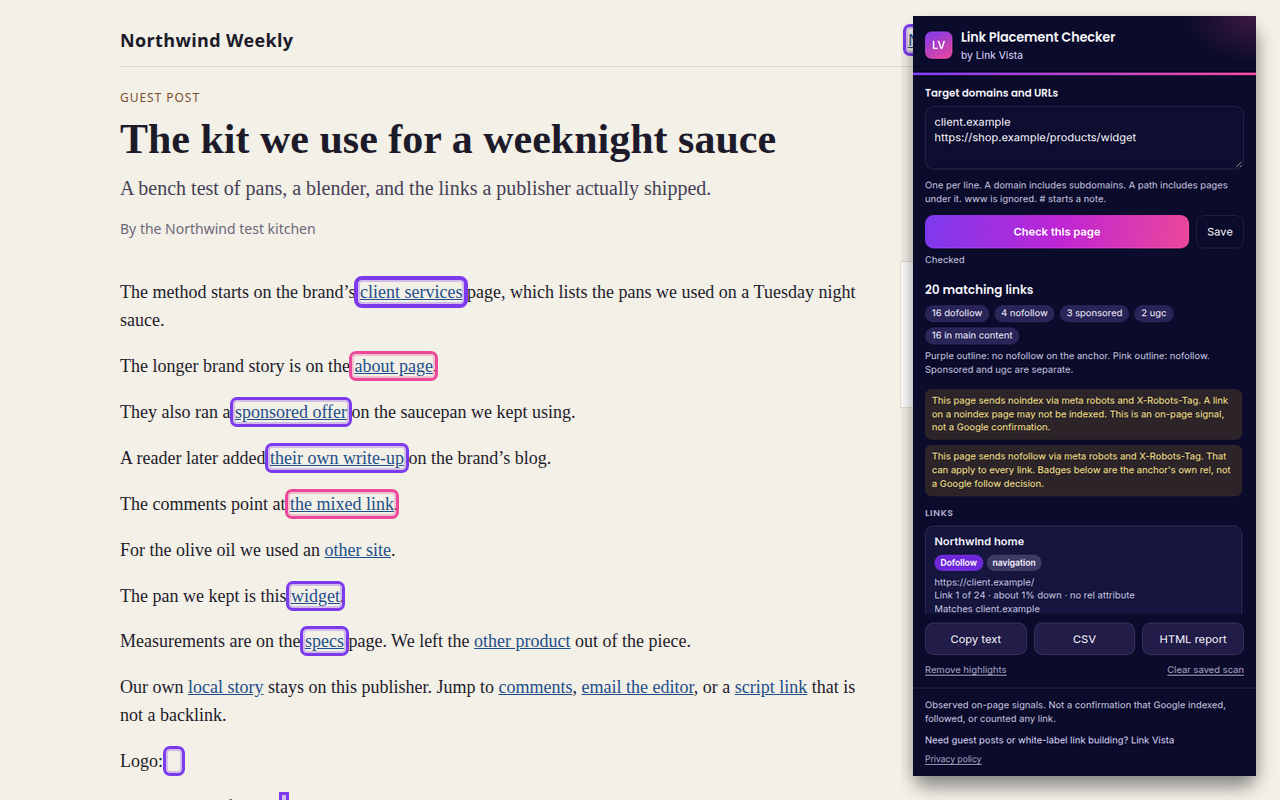
- Rel, split properlyDofollow means the anchor has no nofollow. Sponsored and ugc are shown on their own.
- PlacementMain content, navigation, header, sidebar, or footer, from landmarks and common class names.
- PositionWhich link it is on the page, and how far down the document it sits.
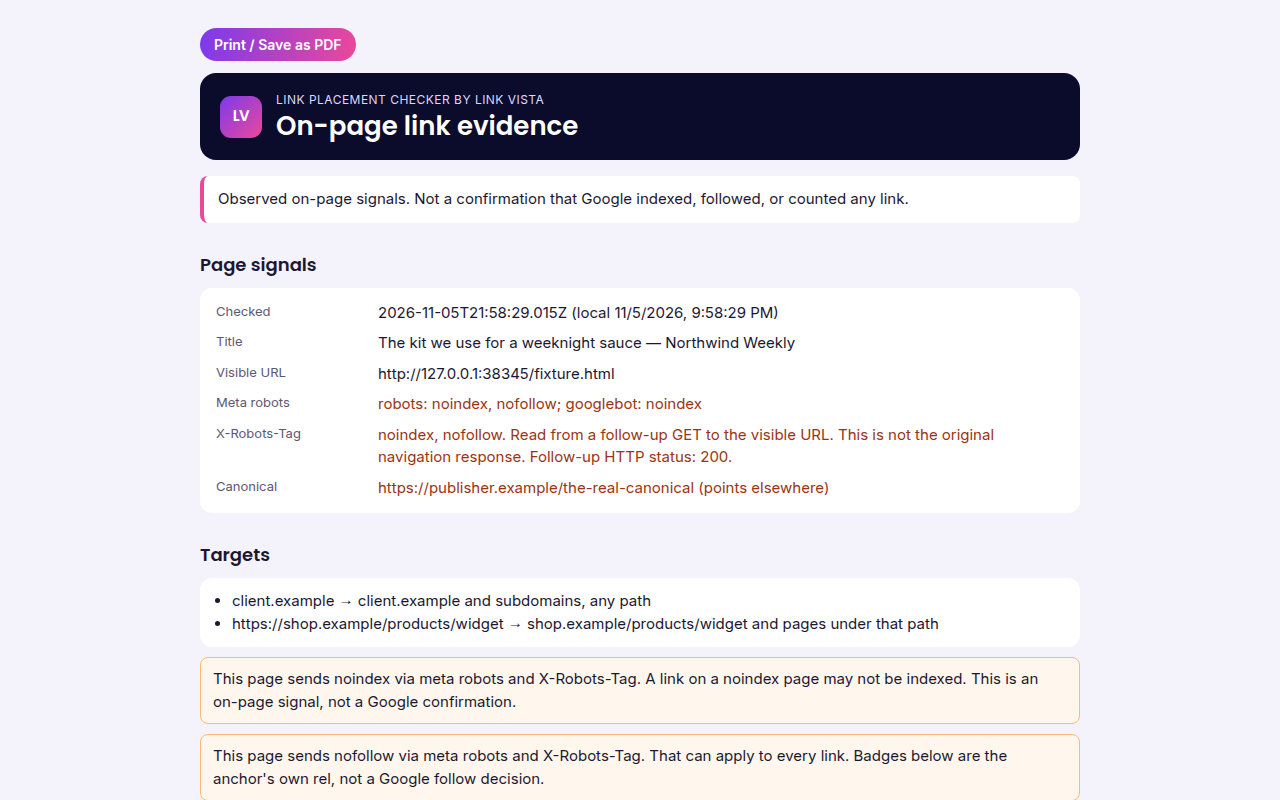
- Index signals on the pageMeta robots, canonical, and X-Robots-Tag when the browser can read a follow-up response.
- HighlightsPurple outline when the anchor has no nofollow. Pink when it does.
- Local onlyNo account, no analytics, and no upload of the page.
How it works
- Enter the targets. One client domain or URL per line. The list is saved on this computer.
- Open the article. Click the extension on that tab and choose Check this page.
- Export the evidence. Copy the text, download a CSV, or open a printable HTML report.
Sample report (illustration only)
This is a sample layout, not a client delivery and not a Google index check. Rows use the extension’s wording.
| Visible URL | Anchor | Rel | Placement |
|---|---|---|---|
| https://example.com/blog/guest-post/ | link building for agencies | dofollow | main content |
| https://example.com/blog/guest-post/ | example.com | nofollow | sidebar |
| Canonical points elsewhere. Observed on-page signals. Not a confirmation that Google indexed, followed, or counted any link. | |||
Promo tile for the store listing (when published):
Limits to know
- It does not confirm indexing, crawling, or that Google counted the link.
- Placement is a best effort. Unusual templates can be marked uncertain.
- X-Robots-Tag comes from a second request by your browser, and only when that response is visible.
- Cross-origin embeds and closed shadow trees are outside what the page lets the extension read.
Full details on what stays on your device: Link Placement Checker privacy policy.
FAQ
Is Link Placement Checker free?
Yes. It is a free Chrome extension from Link Vista. No account and no paid API.
Is it on the Chrome Web Store yet?
Not yet. This page will be updated with the official install link when the listing goes live. Until then, treat the status as coming soon.
Does it upload the guest post?
No. The check runs in your browser. Target domains and the latest scan stay in chrome.storage.local on this device unless you copy or download the report yourself.
Can it prove Google indexed my link?
No. It records observed on-page signals only. It is not confirmation that Google indexed, followed, or counted a link.
Related free tools
Need the placements, not just the checker? See our guest posting service or link building.
Need the links placed?
Link Vista builds guest posts and white-label link building for UK SEO agencies. You approve every domain before we start, with 48–72 hour turnaround. Prices in USD.
Talk to Link Vista Guest posting